A sunscreen SPF test controversy at Daiso pushed trust to the top of the list for K-beauty shoppers.
Olive Young answered with a large sale on its ‘verified’ sunscreen products.
At the same time, TikTok searches for ‘hwa-jal-meok’ (makeup sits well) and ‘foundation-free’ sunscreens keep rising.
This post covers the four things to check before ordering: verified status, price tags, reviews and ingredients, and the SPF label on your region’s package.
After the Daiso SPF controversy, verified status on Olive Young works as the main trust signal for overseas buyers.
K-beauty sunscreen verified Olive Young: why trust became the question
| Verified / recommended status | Use the ‘verified’ recommendation path on Olive Young Global before anything else |
|---|---|
| Price and discounts | Compare original price vs discount price, plus Sale / Coupon / Today’s Dream tags |
| Reviews and ingredients | Check rating, review dates and the ingredient list on the product page |
| Stock near you | Per-store labels show in stock (9+), sold out, or not sold — reconfirm before visiting |
| SPF label on your unit | Look at the SPF number printed on the package sold in your market |
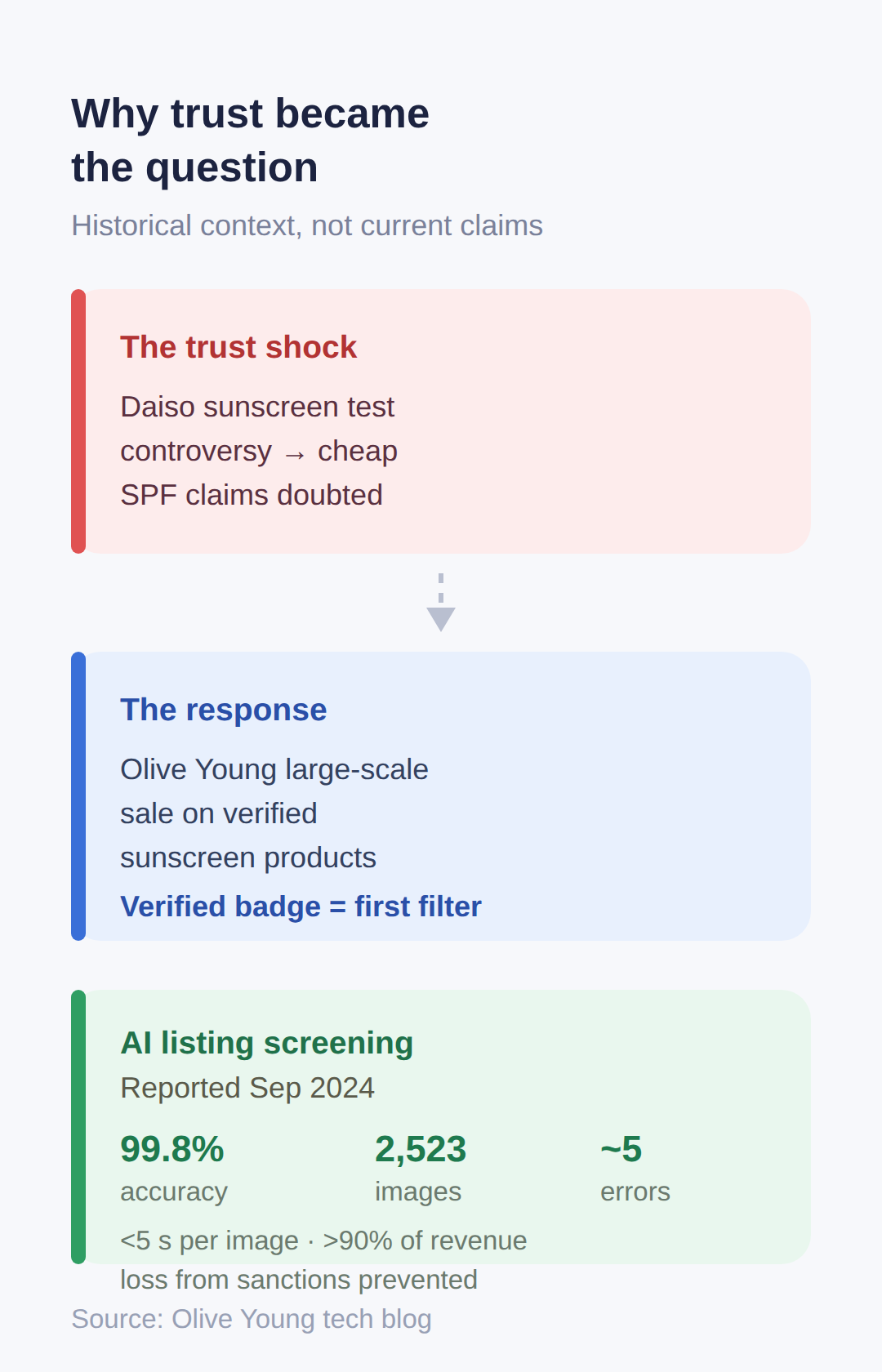
Daiso sunscreen products failed a test controversy, and cheap SPF claims stopped being taken at face value.
Korean shoppers moved toward channels that screen what they sell, and Olive Young responded with a large-scale sale on ‘verified’ sunscreen products.
For overseas buyers this matters in one way: a low price on a no-name listing is no longer worth the risk when a verified alternative is on sale.
Treat the verified badge as the first filter, not the last word — the exact criteria behind the badge are not published in dated sources.
Olive Young’s own listing-quality enforcement is documented on its tech blog: product images must carry no added logos, no text overlays, and no added frames, and an AI inspection system reached about 99.8% accuracy on 2,523 product images with roughly 5 errors, processing each image in under 5 seconds.
That system, reported in September 2024, cut guideline violations and prevented over 90% of revenue loss from platform sanctions.
For a buyer, the practical meaning is simple: listings on Olive Young and its partner platforms are screened, so what you see on the product photo is close to what ships.
These figures are historical context, not a claim about this month’s listings.
What ‘verified’ means and how to check it
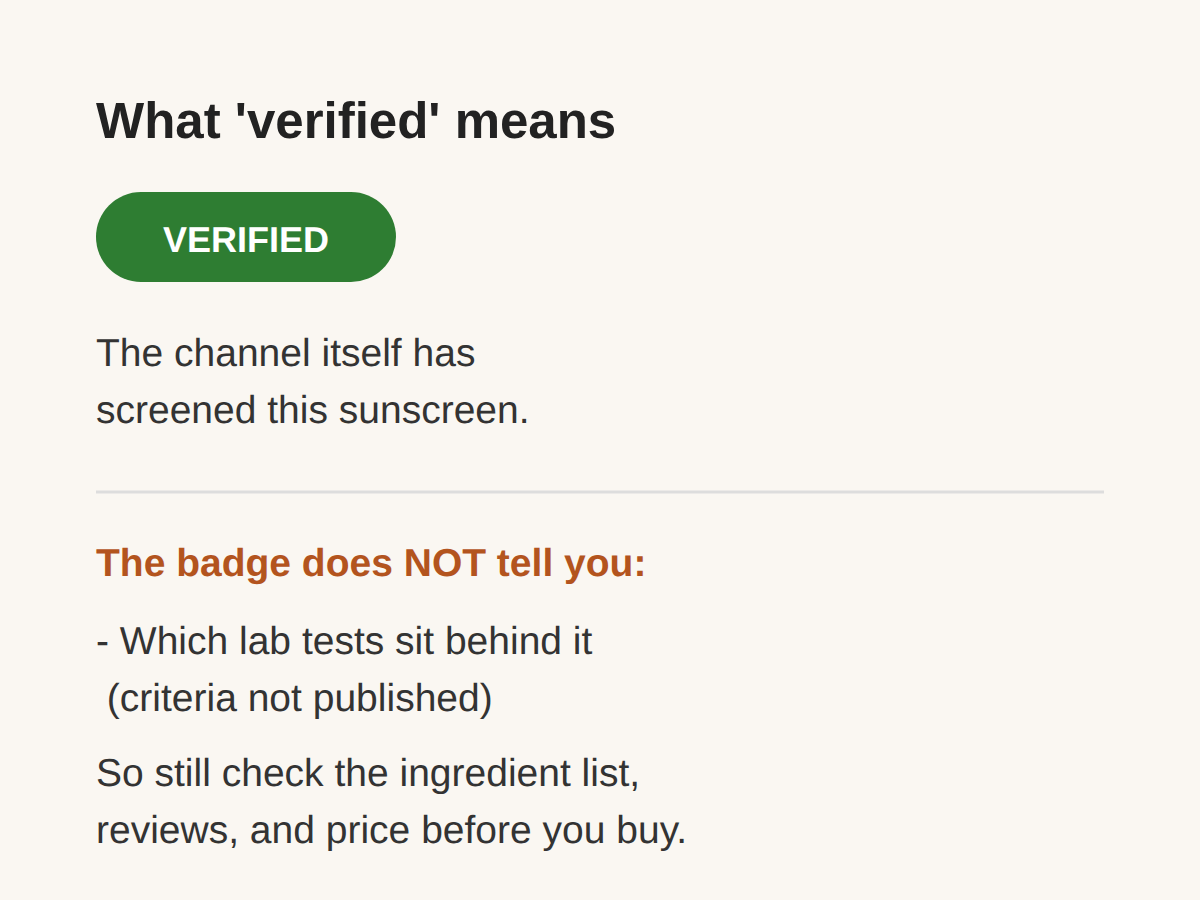
Olive Young Global offers a ‘verified’ recommendation path, and it is the fastest trust signal an overseas shopper can use before purchase.
Start there: if the sunscreen you want appears as a verified recommendation, the channel itself has screened it.
What the badge does not tell you is which lab tests sit behind it — the exact criteria are not published in a dated source, so do not read it as a substitute for checking the ingredient list and reviews yourself.
Keep in mind that inventory and price data on Olive Young come from listings that are not guaranteed real-time, so reconfirm right before you buy.
And if the badge wording looks different on your screen, trust what is on the page over this article — the exact UI wording could not be confirmed from a dated source.
How to verify a product on Olive Young
Four data points on every Olive Young product page answer most questions before checkout: price tags, rating, review dates, and ingredients.
Price: listings show the original price next to the discount price, plus tags like Sale, Coupon and Today’s Dream, which is the visible deal signal at purchase time.
Reviews: product pages carry structured review data with [YYYY.MM.DD] date tags, so you can filter out old reviews and read only recent ones.
Ingredients: the full ingredient list is exposed on the product detail data, which is where you check for fragrance or specific UV filters.
If reading Korean reviews is the bottleneck, community AI tools can summarize pros and cons from collected reviews — an extra check beyond the star rating.
One caution: public search and stock endpoints are unofficial, so treat any third-party stock checker as a hint, not a guarantee, and recheck in the official app before visiting a store.
SPF labeling by region and the trends behind demand
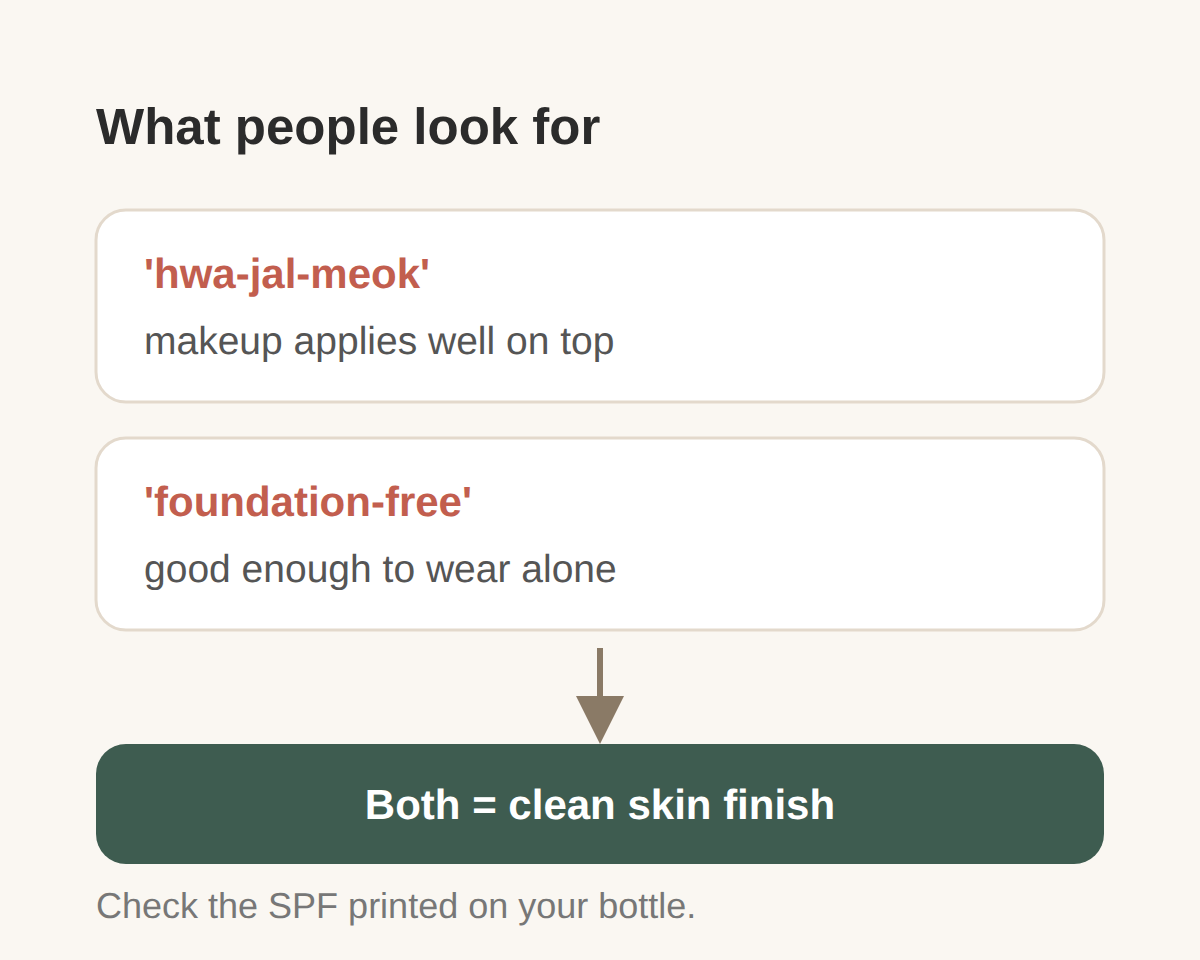
Two TikTok trends explain which sunscreens people are actually searching for right now: ‘hwa-jal-meok’ (makeup goes on well over the sunscreen) and ‘foundation-free’ (good enough to wear alone).
Both point to the same property — a clean skin finish — so look for those phrases in reviews when comparing products.
On labeling, K-beauty sunscreens may show different SPF formulations or packaging by export region, so check the SPF number printed on the unit sold in your own market.
The specific label differences have not been confirmed with a dated source, so treat this as a check to perform, not a known fact about any product.
If the bottle in front of you shows the SPF you expect, that is the label that governs your purchase.
Buying checklist
Run the same four checks in the same order every time, and a bad listing falls out at step one.
First, verified status on Olive Young Global.
Second, original vs discount price and the sale or coupon tags.
Third, recent reviews (filter by the printed dates) and the ingredient list.
Fourth, the SPF label on the package for your region.
Only after all four pass does stock matter — per-store labels show in stock (9+), sold out, or not sold.
A flow of the full check is below.
👉 K-beauty sunscreen trends report
👉 Olive Young image inspection tech blog
👉 Olive Young product data documentation
Related posts
📎 Olive Young — everything we know
📎 azelaic acid olive young
📎 📅 Upcoming Dates — Release & Event Calendar
Sources
- No dated in-window source beyond kagit report (kagit.kr)
- Per-store stock labels available via public endpoints (github.com)
- Listings show original vs discount price plus sale/coupon ta (apify.com)
Dates to check next
- Cross-check the discount price and tags (Sale, Today’s Dream, Coupon) on the product page right before checkout, since stock and price data are not guaranteed real-time
- Confirm the ingredient list and recent review ratings on the product detail page before ordering
- The figures from Olive Young’s tech blog date to September 2024; recheck current listing policies before relying on them
- This post reflects sources available as of September 7, 2026
FAQ
Q. Which sunscreen brands are in the current verified sale?
Not confirmed from sources within the last 6 months. Check the verified section on Olive Young Global for the current list.
Q. How does Olive Young verify sunscreen efficacy, not just images?
The documented system inspects product images against listing guidelines, not SPF lab results. The verified recommendation is the channel’s trust signal, but ingredient and review checks remain the buyer’s job.
Q. Does Olive Young Global show the same SPF labeling as Korean listings?
Export-region labeling differences are flagged as possible but not confirmed with a dated source. Check the SPF printed on the unit sold in your market.
Run your shortlist through the four checks below, then confirm stock on Olive Young before you order.
Cover photo: AI-generated illustration (sunscreen bottle beach) — AI-generated image, illustrative only
#K-beautysunscreen #OliveYoung #verifiedsunscreen #KoreansunscreenSPF #hwa-jal-meok #foundation-freesunscreen #OliveYoungGlobal #sunscreenshoppingtips
📅Upcoming Schedule — this week 1 · D-7 Godsoi lineup removed from menus after 2026-11-09See all →Last updated 2026-10-08. Editorial policy