For most tourists an eSIM is the better pick for Korea — it installs in 2-5 minutes at home and comes as a fixed data pack, while a physical SIM is only needed if you want a Korean phone number or your phone does not support eSIM.
That means you can buy and install everything before your flight instead of queueing at an airport counter.
This post compares the three options, shows what each costs, how much data a 10-day trip needs, and how to fix an eSIM that will not connect.
Key facts — As of 2026-11-15
- Physical SIM setup takes 10-30 minutes including a store visit, passport check, SIM swap and activation, versus 2-5 minutes for a travel eSIM installed at home over Wi-Fi.
Korea Esim Vs Sim Card: Which One Should You Get?
Get a data-only travel eSIM if your phone supports eSIM and you are staying 5-10 days — messaging, booking and ride-hailing apps all run on data alone.
A physical SIM wins only in two cases: you need a Korean phone number for SMS verification or a long stay, or your phone is old or carrier-locked.
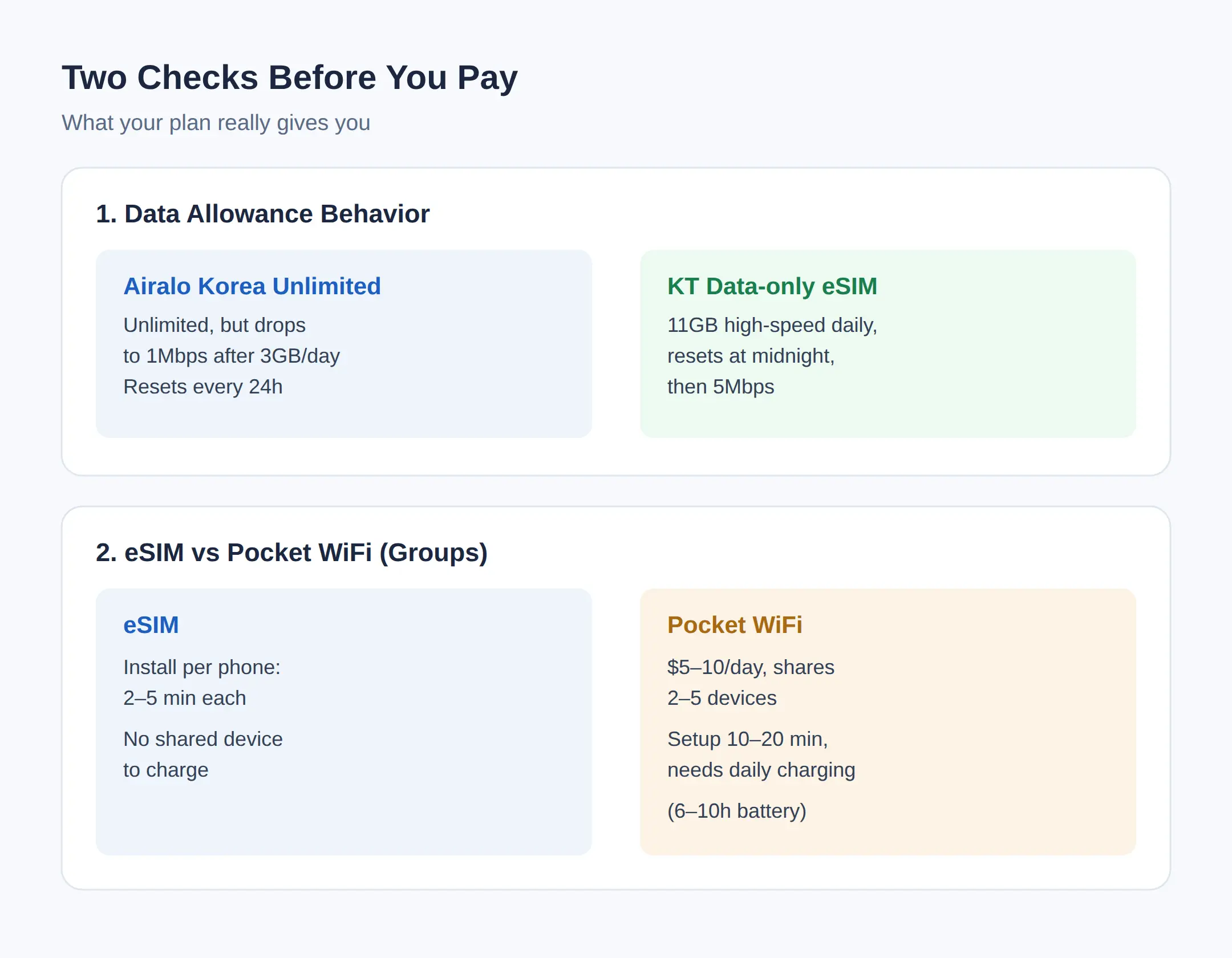
Pocket WiFi is a group option: one unit shares 2-5 devices, but it costs about $5-10 per day and needs charging every 6-10 hours.
Setup time is the practical difference.
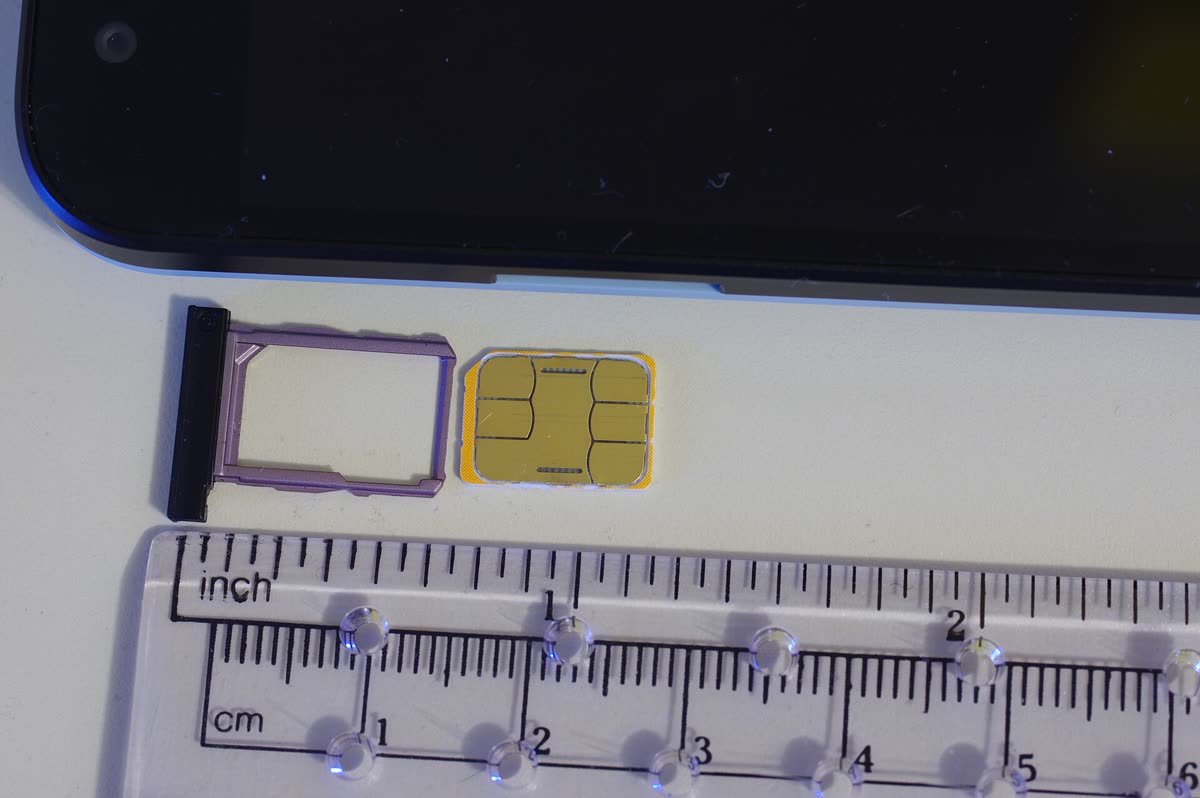
An eSIM installs online over Wi-Fi in 2-5 minutes before departure.
A physical SIM takes 10-30 minutes including a store visit, passport check, SIM swap and activation, and you must keep your original SIM somewhere safe.
If your trip is a normal 5-10 day visit, the eSIM covers it; if you are moving to Korea or need bank verification texts, take the physical SIM route.
Before buying, check compatibility: on iPhone go to Settings > Cellular > Add eSIM; on Android go to Settings > SIM > Add/Download SIM — and note that carrier-locked phones may not connect, since unlocking can take 24-72 hours.
How Many GB Do I Need For 10 Days In Korea?
A 10-day multi-city trip needs about 10-20GB, and a Seoul-only trip of 4-7 days needs about 7-15GB.
Most travelers use 1-3GB per day for maps, messaging and social media, or 3-6GB with video streaming or a hotspot.
Adding three days in Jeju adds roughly 3-8GB for navigation and photo uploads.
The habits move the number more than the itinerary.
Short-video apps use 300MB-1.5GB per hour, so 30 minutes a day adds 150-750MB daily — 1.5-7.5GB over a 10-day trip from one habit alone.
A hotspot workday uses 2-6GB, so a work-plus-laptop trip needs a 20-40GB plan with tethering confirmed.
Keep a 20-30% buffer for the last day, because airport navigation, photo uploads and booking confirmations raise usage at the end.
Korea Esim Price: LG U+, KT, SKT And Airalo
LG U+ sells a data-only eSIM at ₩6,500 for 1 day up to ₩27,500 for 5 days, and Airalo’s Korea Unlimited runs US$12 for 3 days to US$69 for 30 days.
Both figures are from the vendors’ own price lists as checked in September-October 2026.
LG U+ data-only allows incoming calls and texts but blocks outgoing ones.
| Vendor | Product | Price | Notes |
|---|---|---|---|
| LG U+ | Data-only eSIM | ₩6,500 (1d) – ₩27,500 (5d) | Incoming calls/SMS yes, outgoing no; activate within 60 days |
| LG U+ | TOUR PASS | ₩18,000 (3d), ₩27,500 (5d) | Adds buses, subway, AREX regular train and a 010 number |
| KT | Traveler eSIM | Data-only, Call/SMS or 010-number plan | Data-only cannot make outgoing calls or texts; check install deadline |
| SKT | Data, Call, SMS | Unlimited LTE up to 100Mbps | Calls/SMS only after passport verification |
| Airalo | Korea Unlimited | US$12 (3d) – US$69 (30d) | SK network; 1Mbps after 3GB/day, resets every 24h |
| Kimchi Mobile | Prepaid data eSIM | 5GB $7.99 – 50GB $47.99 | 7/15/30-day validity, QR by email, data only |
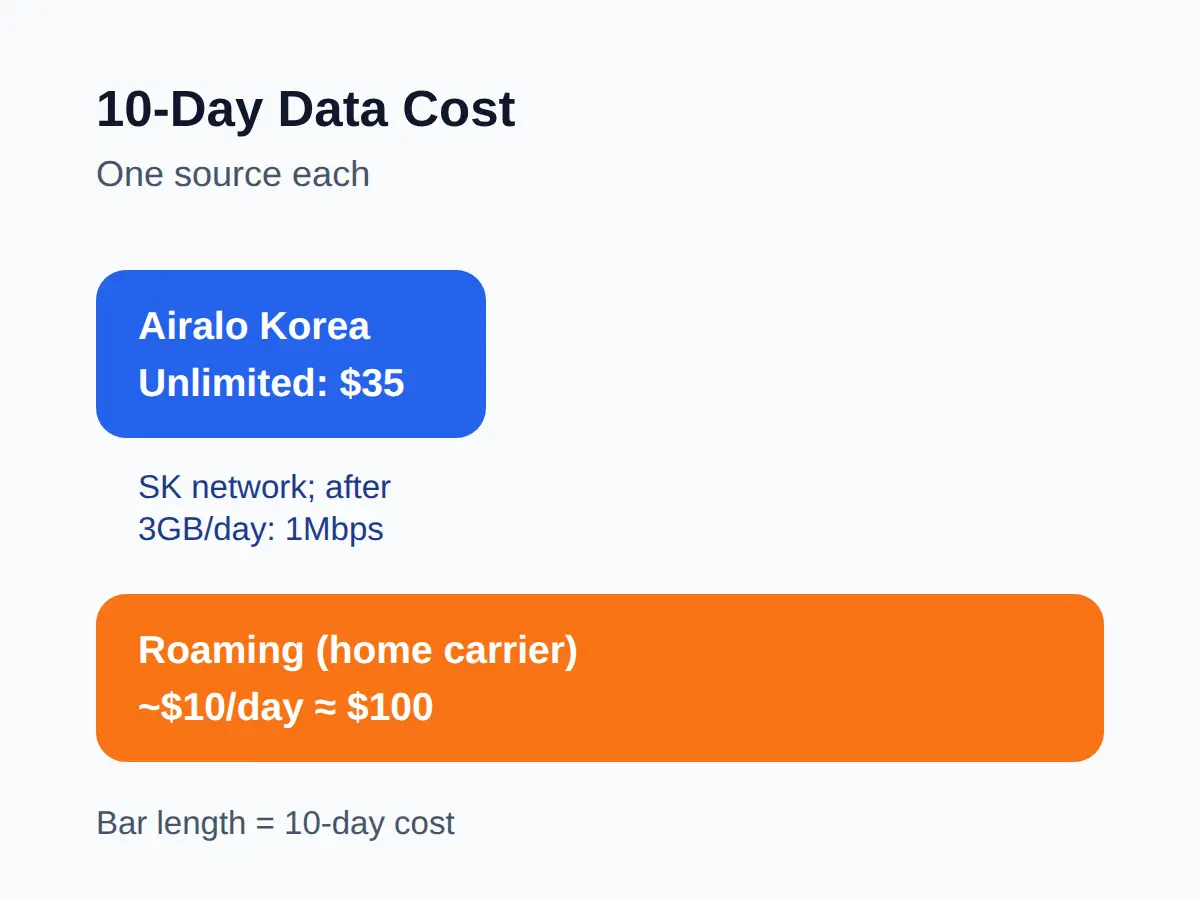
Airalo Korea Unlimited runs on the SK network, drops to 1Mbps after 3GB per day, and resets the high-speed allowance every 24 hours.
LG U+ TOUR PASS costs the same as the data-only pack (3 days ₩18,000, 5 days ₩27,500) but adds nationwide buses and subway, the AREX regular train and a 010 number.
Carrier checkout prices are dynamic, so confirm the final figure at payment.
Do I Need A Korean Phone Number In Korea?
No — a normal 5-10 day trip works on data alone, because messaging, booking and ride-hailing apps do not need a Korean number.
A Korean number matters when a local service sends SMS verification codes or when you are staying long term.
Traveler plans come with limits you should know before paying.
Data-only eSIMs cannot make or receive regular calls and texts.
A ‘number’ on a traveler plan is not full identity verification: SKT and LG U+ state they do not support bank or government identity-verification SMS, and LG U+ data-only does not support SMS authentication at all.
Voice/SMS plans handle app-level verification at select restaurants and taxi apps only.
If you need bank or government verification, use a physical SIM from a carrier, or — for long stays — Kimchi Mobile’s Welcome Package, which starts on a data eSIM and converts to KT postpaid with a real 010 number once your Residence Card arrives.
Whether a tourist SIM number passes a specific app’s verification varies by app, so check the app’s own terms.
How To Set Up An Esim For Korea Before Your Flight
Buy the eSIM online 24-72 hours before the flight, install it at home on Wi-Fi, and switch it on when you land.
The full eSIM route looks like this:
- Check eSIM support and carrier unlock (iPhone: Settings > Cellular > Add eSIM; Android: Settings > SIM > Add/Download SIM).
- Buy the pack online 24-72 hours before departure.
- Install over Wi-Fi via QR code or the vendor’s app.
- On arrival, set the eSIM as your mobile data line and turn data roaming on.
- Load a page to confirm it works.
A physical SIM is the counter route instead: go to a carrier counter at the airport or in the city, show your passport, pick a plan, swap the SIM and restart, checking APN if asked.
Pocket WiFi is simpler still: book online, pick it up at the airport, charge and connect, and return it at the end.
Airport counters cost queue time at peak arrivals — 10-30 minutes on top of the swap — which is what the online route removes.
Esim Not Working In Korea: The 5-Step Fix
Most eSIM connection problems in Korea are fixed by working through five steps in order.
- Set the travel eSIM as your mobile data line.
- Turn data roaming on for the eSIM profile.
- Toggle airplane mode for 10-15 seconds.
- Switch network selection from auto to manual and back.
- Turn your VPN off and retest.
Check the refund rules before you pay, because they are strict.
LG U+ requires activation within 60 days of purchase, gives no refund after payment and no reissue after install.
KT gives no refund and no reissue of a deleted profile, and KT’s own English page states its install deadline as 90 days in one place and 30 days in another — confirm the exact deadline with KT before buying far ahead.
Save data where it does not hurt: download offline maps for the neighborhoods you visit, limit short-video apps (about 300MB-1.5GB per hour of use), and run phone updates on hotel Wi-Fi.
If a group shares pocket WiFi and the battery dies mid-day — heavy use lasts 6-10 hours — a power bank is the fix.
If it were a 5-10 day trip, I would buy a data-only eSIM online 24-72 hours before the flight, because messaging and ride-hailing apps all run on data and there is no store visit or SIM tray swap to worry about.
👉 2026 Korea travel guide comparing eSIM, physical SIM and pocket WiFi costs and setup times
👉 Side-by-side Korea eSIM comparison with LG U+, KT and SKT prices and conditions
👉 Kimchi Mobile shop listing prepaid data eSIM packs and the KT postpaid Welcome Package
Related posts
📎 📅 Upcoming Dates — Release & Event Calendar
Sources
- Airport counters require passport, queues, manual swap; onli (blog.esimx.hk)
- KT English page states 90 days in one place and 30 days in a (koreatripscout.com)
- Kimchi Mobile price list: 5GB $7.99, 10GB $16.99, 20GB $27.9 (kimchimobile.com)
Practical tips before you buy
- Install the eSIM at home on Wi-Fi before departure, not at the airport — the swap and queue at a counter add 10-30 minutes.
- Keep your home SIM in the phone as a second line so SMS two-factor codes still arrive during the trip.
- Buy the pack 24-72 hours before the flight so a failed install leaves time to fix it, and check the vendor’s activation deadline before paying.
FAQ
Q. Korea eSIM or SIM card — which is better for a 2-week trip?
For 2 weeks without a Korean number, an eSIM is simpler: 2-5 minutes to install at home and fixed data packs. Pick a physical SIM only if you need SMS verification for local services or your phone cannot use eSIM.
Q. How many GB for 10 days in Korea?
About 10-20GB for Seoul plus Busan or Jeju, based on typical use of 1-3GB per day without heavy video. Keep a 20-30% buffer for the last day.
Q. Do I need a Korean phone number as a tourist?
No for a 5-10 day trip — messaging, booking and ride-hailing run on data. Yes if a local app requires SMS verification or you are staying long term.
Q. Is pocket WiFi cheaper than an eSIM in Korea?
For one person, no — pocket WiFi runs about $5-10 per day while an Airalo 10-day pack is US$35. Pocket WiFi pays off when 2-5 people share one unit.
For a 5-10 day trip, buy a data-only eSIM online 24-72 hours before your flight — check the price table first.
Cover photo: Turret and Tourist with Smartphone, Overlooking Green Landscape (55256854985) by Michael Gaylard from Horsham, UK — CC BY 4.0
#koreaesim #koreasimcard #koreatraveldata #lgu+esim #airalokorea #pocketwifikorea
📅Upcoming Schedule — D-10 MAMA 2026 ceremony (exact date/venue not yet confirmed in thSee all →Last updated 2026-11-17. Editorial policy